 EN
 Ελληνικά
 Deutsch
 Italiano
 Español
 Français
 Nederlands
 Polski
 Português
 Čeština
 Svenska
 Dansk
 Türkçe
 Română
The Hidden Gaps Between Pump and Payment
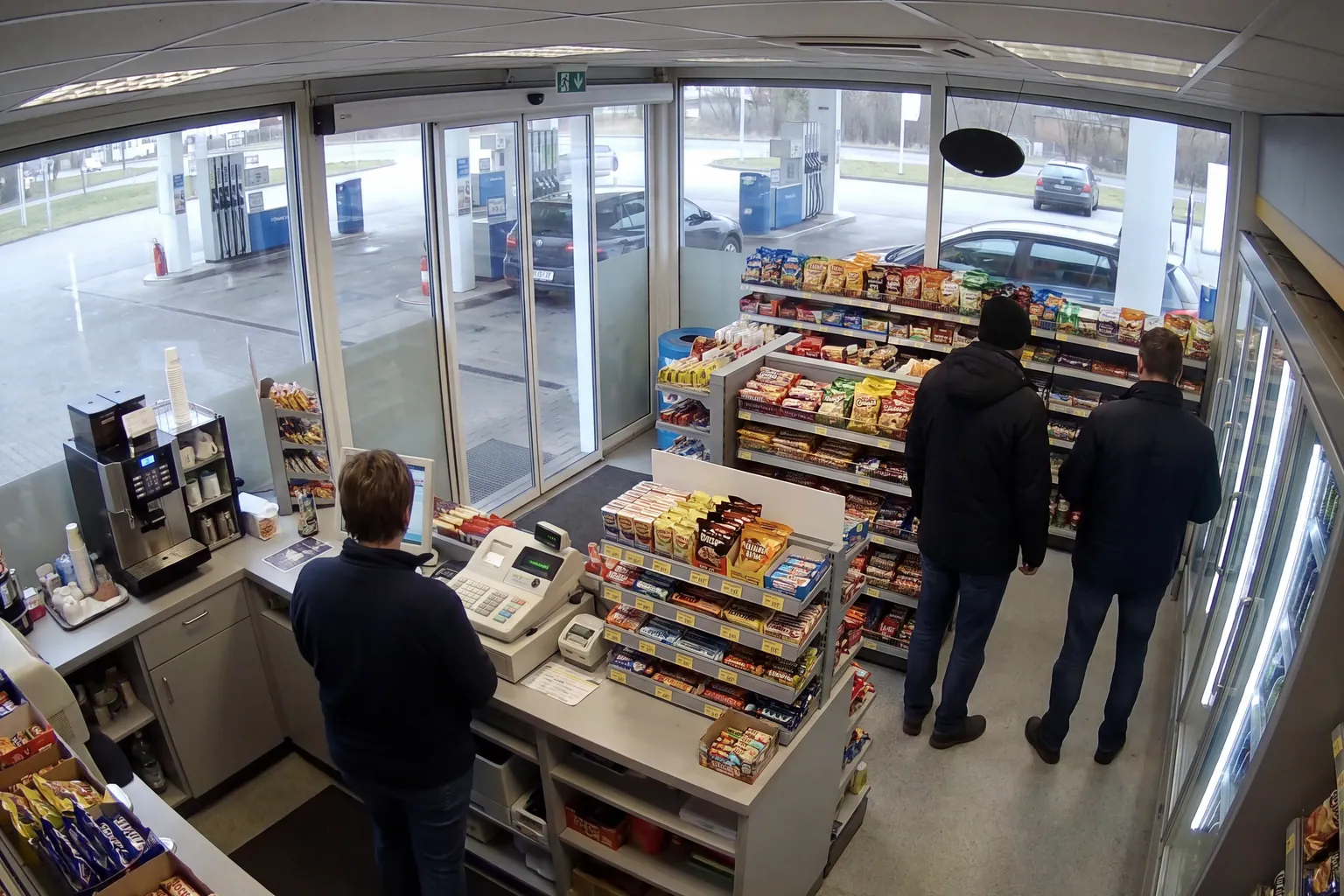
Fuel stations are unique retail environments, combining self-service pumps, staffed tills, and a busy shop floor. This complexity creates multiple points where revenue can slip through the cracks. A common pattern is when customers fill up and then add items in the shop, but the final transaction doesn't reflect everything taken. Sometimes, confusion at the till or distractions during busy periods can lead to honest mistakes, such as forgetting to ring up a snack or beverage.
Another frequent issue is when fuel is dispensed but not immediately paid for, especially during shift changes or when staff are multitasking. In some cases, manual entry errors can occur—such as entering the wrong pump number or failing to process a payment for fuel that has already been dispensed. These gaps are often not intentional but can add up to significant losses over time.
Some fuel stations also experience losses when customers drive off without paying, or when the till receipt doesn't match the items actually handed over. This can happen if staff are under pressure, or if there is a lack of clear routine for checking that every item is scanned and paid for. These mismatches are not always easy to spot in the daily rush.
Identifying these gaps requires a combination of good processes, regular checks, and making use of technology where possible. Reviewing end-of-shift POS reports and comparing them to actual footage or logs can help spot recurring issues, whether they are due to honest mistakes or process weaknesses.
Common Patterns of Loss in Fuel Station Shops
Losses in fuel station retail areas often follow certain patterns. One example is the 'unscanned item'—where a customer adds a magazine, drink, or snack at the last moment, and the cashier, distracted by fuel transactions or other customers, forgets to scan it. Over time, these small errors can have a noticeable impact on profits.
Another pattern is discrepancies between the fuel dispensed and the amount paid. This can happen if the cashier selects the wrong pump number, or if a customer leaves before completing the payment. Sometimes, staff may void or discount items at the till for legitimate reasons, but without clear documentation, it becomes difficult to reconcile these actions later.
Returns and voids are also a source of confusion. If a customer changes their mind after a transaction is started, staff may need to void items or process refunds. Without a clear record and routine checks, these actions can be misused or simply lead to accounting errors.
To address these patterns, it’s important to regularly review POS reports for unusual numbers of voids, discounts, or manual entries. Simple routines—such as having a second staff member check large refunds or reviewing CCTV footage when discrepancies are found—can help reduce losses.
Practical Steps for Monitoring Transactions
Effective loss prevention starts with clear routines and regular checks. Begin by reviewing daily and shift-end POS reports for unusual activity, such as higher-than-usual discounts, voids, or manual fuel entries. These can point to areas where mistakes or process gaps are occurring most often.
Cross-checking fuel dispensed versus fuel paid for is another essential step. This can be done by comparing pump logs with till receipts. If there are frequent mismatches, it may be worth examining the process for handling multi-pump transactions or busy periods when mistakes are more likely.
Staff training plays a crucial role. Make sure everyone understands the importance of scanning every item, double-checking pump numbers, and following established routines for voids and refunds. Encourage staff to report any confusion or recurring issues, as these are often signs that a process needs improvement.
Technology can help, too. Software like Vigilessa.ai can use existing cameras to compare what is handed over at the till with the POS transaction, sending alerts only when there is a mismatch. This approach supports staff by catching honest mistakes early, without introducing new cameras or intrusive monitoring.
Balancing Security and GDPR Compliance
Protecting your business from losses must be balanced with respecting staff privacy and complying with data protection rules. In the EU, the GDPR sets clear expectations: staff must be informed about any monitoring, access to footage should be limited, and recordings kept only as long as necessary for business purposes.
Fuel station owners should have a transparent policy outlining how CCTV and transaction data are used. Make sure staff know what is being monitored and why. This not only builds trust but also helps ensure your practices are in line with GDPR principles.
Access to footage and reports should be limited to those who need it for their role. For example, only managers or designated supervisors should be able to review alerts or check past transactions. This reduces the risk of misuse and reassures staff that monitoring is not being used for covert surveillance.
If you use software like Vigilessa.ai, it’s designed with GDPR in mind: staff are informed, access is controlled, and footage is retained only as long as needed to resolve discrepancies. For more on GDPR and practical compliance, see our [gdpr] page or consult your local data protection authority.
Using AI Assistants to Support Staff and Reduce Errors
AI assistants can make a real difference in busy fuel station shops by helping staff and managers spot patterns and answer questions quickly. For example, Vigilessa.ai’s Iris on WhatsApp can answer queries about which discounts or voids happened during a shift, helping supervisors identify where extra training or process changes might be needed.
This support is especially valuable during busy periods or shift changes, when mistakes are more likely. Being able to quickly check which transactions were voided or discounted helps managers respond to issues before they become recurring problems.
AI-based monitoring is not about catching staff out, but about supporting them—ensuring honest mistakes are spotted and corrected early. This gives everyone confidence that the process is fair and transparent.
When considering any AI solution, always ensure it works with your existing systems and follows GDPR requirements. Look for options that don’t require new cameras or intrusive monitoring, and that provide clear, actionable feedback to both staff and managers. For more on how AI can assist, see our [iris] page.
Where to Begin: Reviewing Your Own Recordings
The first step to reducing losses between the pump and the till is to review your own shop’s processes and recordings. Start by selecting a few recent days or shifts and compare what was captured by your existing cameras with the POS reports for those periods.
Look for recurring patterns: items handed over but not on the receipt, fuel dispensed but not paid for, or frequent voids and discounts. Involve your staff in this review—often, they can explain why certain mistakes happen and suggest practical improvements.
Consider using software like Vigilessa.ai, which works with your current cameras to highlight only those transactions where there’s a mismatch between what was sold and what was handed over. This saves time and helps focus attention where it’s most needed.
If you’d like to see how this works in practice, you can request a demo using your own recordings. This is a practical way to understand where your shop is losing money and how you can address it, while staying GDPR-compliant.
FAQ
What are the most common sources of loss in fuel station shops?
Unscanned items, mismatches between fuel dispensed and paid for, and errors during voids or refunds are common sources of loss.
How can I check for losses between the pump and the till?
Regularly review POS reports, compare them with pump logs and camera footage, and look for patterns such as frequent voids or unscanned items.
Is AI monitoring staff legal under GDPR?
Monitoring is allowed if staff are informed, access is limited, and footage is kept only as long as necessary. Always check local rules and inform your staff.
Do I need to install new cameras to use Vigilessa.ai?
No, Vigilessa.ai works with the cameras you already have, turning them into AI agents to highlight transaction mismatches.
See also: Retail & Supermarkets · Gas Stations · Loss Calculator
Want to know your business’s real loss figure?
Request a demo